Understanding Which Connection Method to Use (And When)
Learn which TrulyInbox connection method to use based on your email provider and setup.
Choosing the correct connection method ensures stable integration and reliable warm-up performance. TrulyInbox supports multiple connection options depending on your email provider and account structure.
This guide explains when to use each method. Detailed setup instructions are available in the linked connection guides.
Google OAuth (Google Workspace)
Use this method if:
You use Google Workspace
Your accounts are under the same domain
You have access to the Workspace admin panel
Google OAuth is the recommended method for Google users.
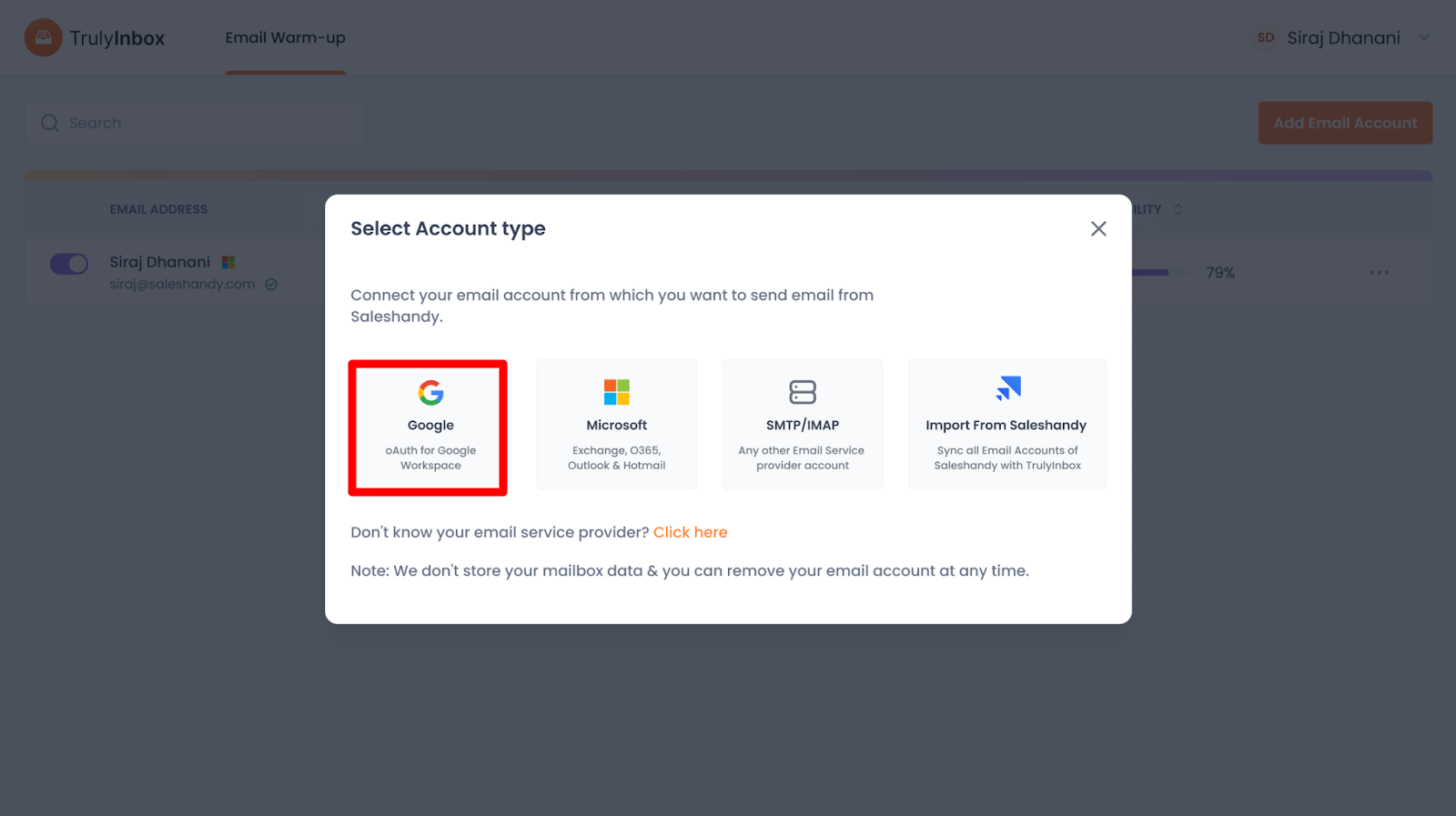
Why is it preferred:
No passwords are stored or shared
Fully aligned with Google’s security standards
Easier management for multiple accounts
Lower risk of permission or authentication errors
If you are using Google Workspace, choose OAuth instead of SMTP.
 Refer to the Google OAuth connection guide for detailed steps.
Microsoft Native Connection (Exchange, Microsoft 365, Outlook, Hotmail)
Use this method if your account is:
Microsoft 365
Exchange
Outlook
Hotmail
Microsoft accounts require native authentication.
Key points:
SMTP connection is not supported for Microsoft accounts
Native authentication ensures proper permissions
More stable and secure than manual configuration
Attempting SMTP for Microsoft accounts will fail.
Refer to the Microsoft connection guide for step-by-step instructions.
SMTP / IMAP (Other Email Service Providers)
Available options
With SMTP/IMAP, you can:
Connect a single email account
Connect multiple email accounts in bulk using a CSV file
Bulk connection is useful if you manage many inboxes at once.
 Important:
Make sure IMAP is enabled and credentials are correct before connecting.
Refer to the SMTP (Single) or SMTP (Bulk) connection guide for more details.
Import from Saleshandy
When should you use this?
Choose Import from Saleshandy if:
You already have email accounts connected in Saleshandy
You want to import all those accounts into TrulyInbox at once
This saves time and avoids reconnecting accounts manually.
What happens during import?
Email accounts are synced from Saleshandy
Warm-up can start without reconfiguration
Refer to the Saleshandy integration guide for more information.
Not Sure Which Method to Choose?
If you’re unsure:
Use Google OAuth for Google Workspace
Use the Microsoft native connection for Microsoft accounts
Use SMTP/IMAP for all other providers
Use Saleshandy import if accounts already exist there
Each section above links to a detailed guide so you can learn more before proceeding.
Need Help?
If you’re getting stuck at any point or are unsure which connection method is right for you, TrulyInbox Support is always here to help you.
Reach out to us anytime, and our team will be happy to guide you 
Also check
Which ESPs Does TrulyInbox Support?
How to Check Who Your Email Service Provider (ESP) Is
Technical Checklist Before Starting Email Warm-up
How Does TrulyInbox Email Warm-up Work?