Technical Checklist Before Starting Email Warm-up
A Readiness Guide for Successful Warm-up
Before starting email warm-up, it’s important to make sure your technical setup is fully ready. A strong foundation helps your warm-up run smoothly, protects your domain reputation, and prevents common deliverability issues that can interrupt or slow down the process.
Purpose of This Checklist
This checklist is designed to validate whether your mailbox and domain are ready for warm-up. When everything is set up correctly, email providers are more likely to trust your sending behavior, which improves inbox placement and ensures your warm-up results are accurate and effective.
DNS Records and Email Authentication
DNS records are a critical requirement for successful warm-up. They confirm to email providers that your messages are legitimate and authorized. Before starting, make sure the following records are correctly configured on your domain:
SPF to authorize approved sending servers
DKIM to digitally sign outgoing emails
DMARC to define how unauthenticated emails should be handled
MX records to specify which mail servers should receive emails for your domain
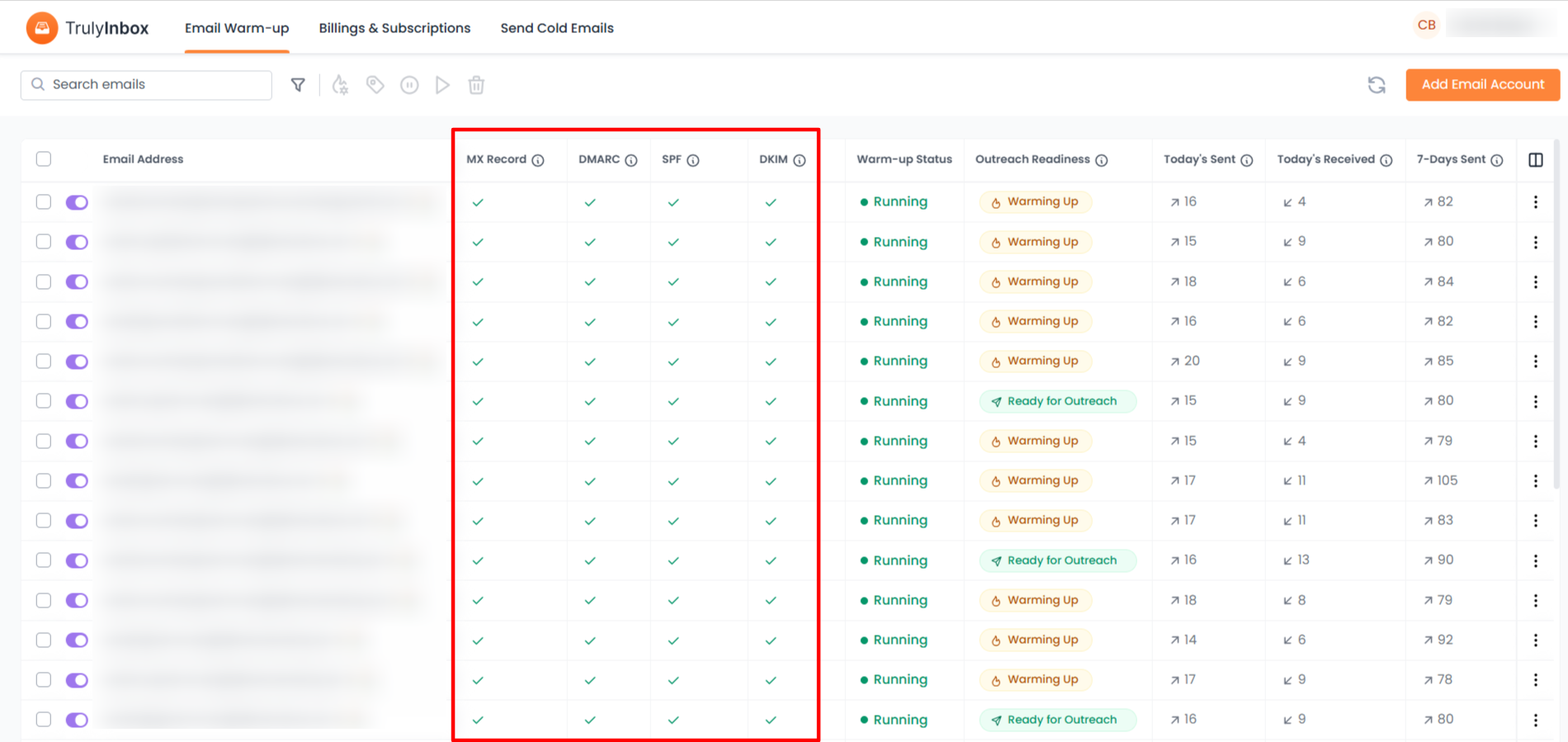
If any of these records are missing or misconfigured, warm-up emails may be rejected or marked as spam, which can negatively affect your sender reputation from the start.
Mailbox Age and Account Readiness
Mailbox age plays an important role in how warm-up should be handled. New mailboxes require a slower, more cautious approach because they have no sending history. Older mailboxes may handle slightly higher volumes, but they still need warm-up if they were inactive or previously experienced deliverability issues. Regardless of age, skipping warm-up increases the risk of spam placement.
Sending Limits and Provider Restrictions
Every email service provider enforces daily sending limits, especially for new accounts. Before starting warm-up, confirm your provider’s limits and ensure your sending volume stays within them. Exceeding these limits can result in temporary sending blocks or reduced deliverability. It’s also important to make sure no other tools or campaigns are sending emails from the same mailbox during warm-up.
Common Setup Mistakes to Avoid
Many warm-up issues come from small but common mistakes. Be sure to avoid the following before starting:
Starting warm-up without proper SPF, DKIM, or DMARC
Running cold outreach or bulk campaigns alongside warm-up
Using a brand-new domain with aggressive sending volumes
Connecting multiple sending tools to the same mailbox
Ignoring provider-specific sending limits
Avoiding these issues helps warm-up progress smoothly without interruptions.
What Happens After Warm-up Begins
Once your technical setup is validated and the mailbox is connected, the warm-up process starts automatically. Emails are sent and received gradually to simulate real mailbox activity. Engagement actions such as replies and thread interactions help email providers recognize your mailbox as active and trustworthy. Sending volume increases steadily over time in a controlled manner.
Expected Results
As the warm-up progresses, your mailbox reputation improves and stabilizes. Inbox placement becomes more consistent, spam risks decrease, and your mailbox becomes ready for real outreach or production sending.
Monitoring Your Warm-up
From your dashboard, you can track key warm-up metrics such as:
Emails sent and received
Daily sending volume
Warm-up progress and status
Deliverability indicators
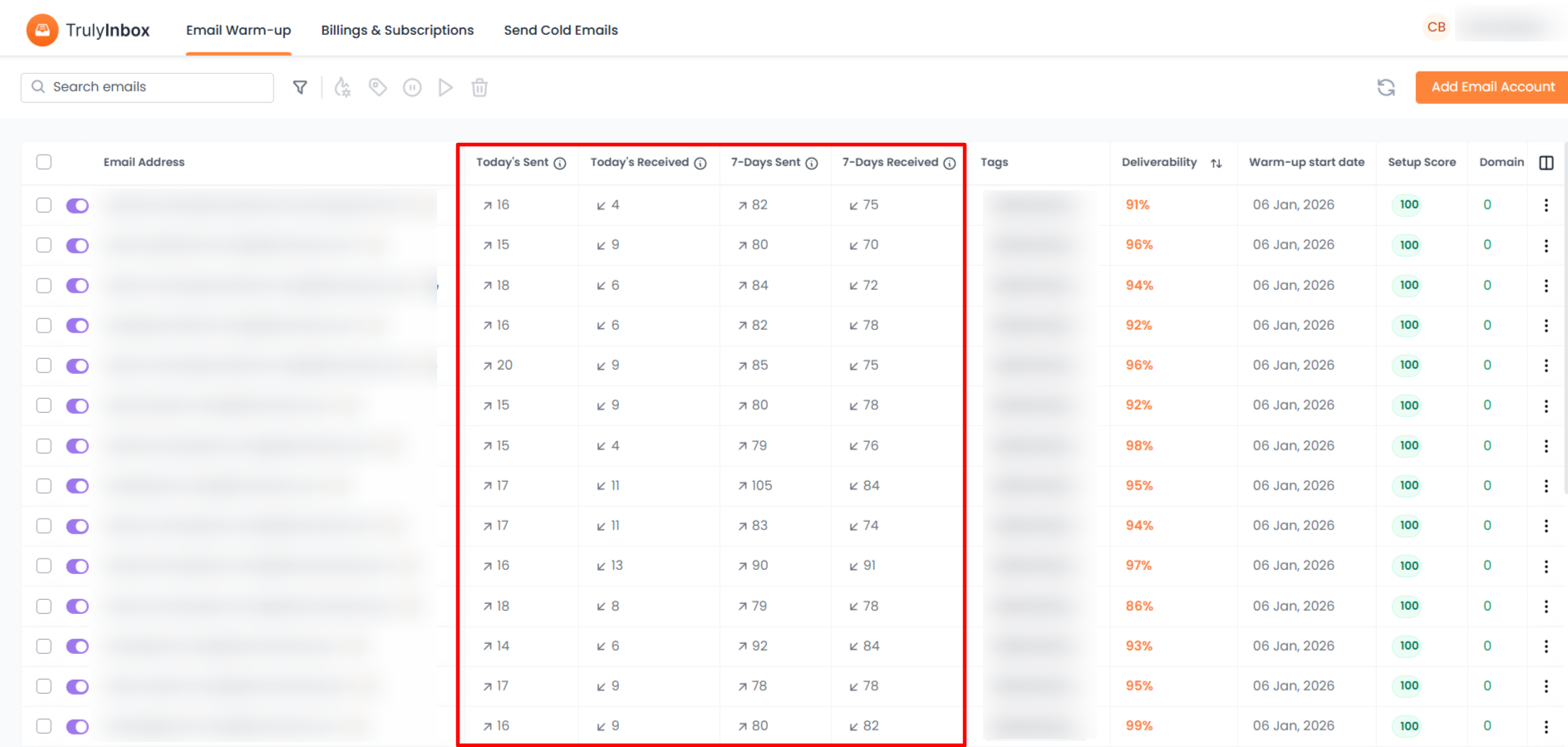
These insights help you understand when your mailbox is ready for active use.
Final Notes
Email warm-up is most effective when the technical foundation is solid. Taking the time to verify DNS records, mailbox age, and sending limits before starting can prevent long-term deliverability problems. A careful setup ensures safer warm-up, better inbox placement, and long-term email success
Also check
What Is an SPF Record
DKIM: What, Why, and How to Set it up?
Account Age, Sending Limits, and ESP Restrictions
Common Technical Mistakes That Hurt Deliverability