Customizing Warmup Email Content in TrulyInbox
Customize your warmup email content by selecting a target industry and relevant topics so the system can generate more natural, context based warmup conversations.
Warmup emails play an important role in building sender reputation and improving inbox placement. Traditionally, warm-up emails use generic content that works for most users. However, in many cases this content may not reflect your real outreach context.
To solve this, TrulyInbox now allows you to customize the content of your warmup emails based on your industry, topics, and language.
This helps warm-up emails look more natural and aligned with your real business communication.
Why Warmup Content Customization Matters
Generic warmup emails work well for basic reputation building. However, they can sometimes feel repetitive or disconnected from your actual outreach activity.
Customizing warmup content helps improve the quality of signals sent to mailbox providers.
With contextual warmup emails, you can achieve:
Improved inbox placement
Stronger trust signals with email providers
More natural email conversation patterns
Better alignment with your real outreach campaigns
For example, a SaaS company warming up emails with SaaS related conversations will appear more realistic than generic email exchanges.
What You Can Customize
The Warmup Content feature allows you to control how warm-up emails are generated.
You can configure:
Language of the warmup emails
Industry
Subtopics related to your industry
Based on these selections, TrulyInbox automatically generates warmup emails that match your chosen context.
Supported Languages
You can run warmup emails in the language that matches your outreach campaigns.
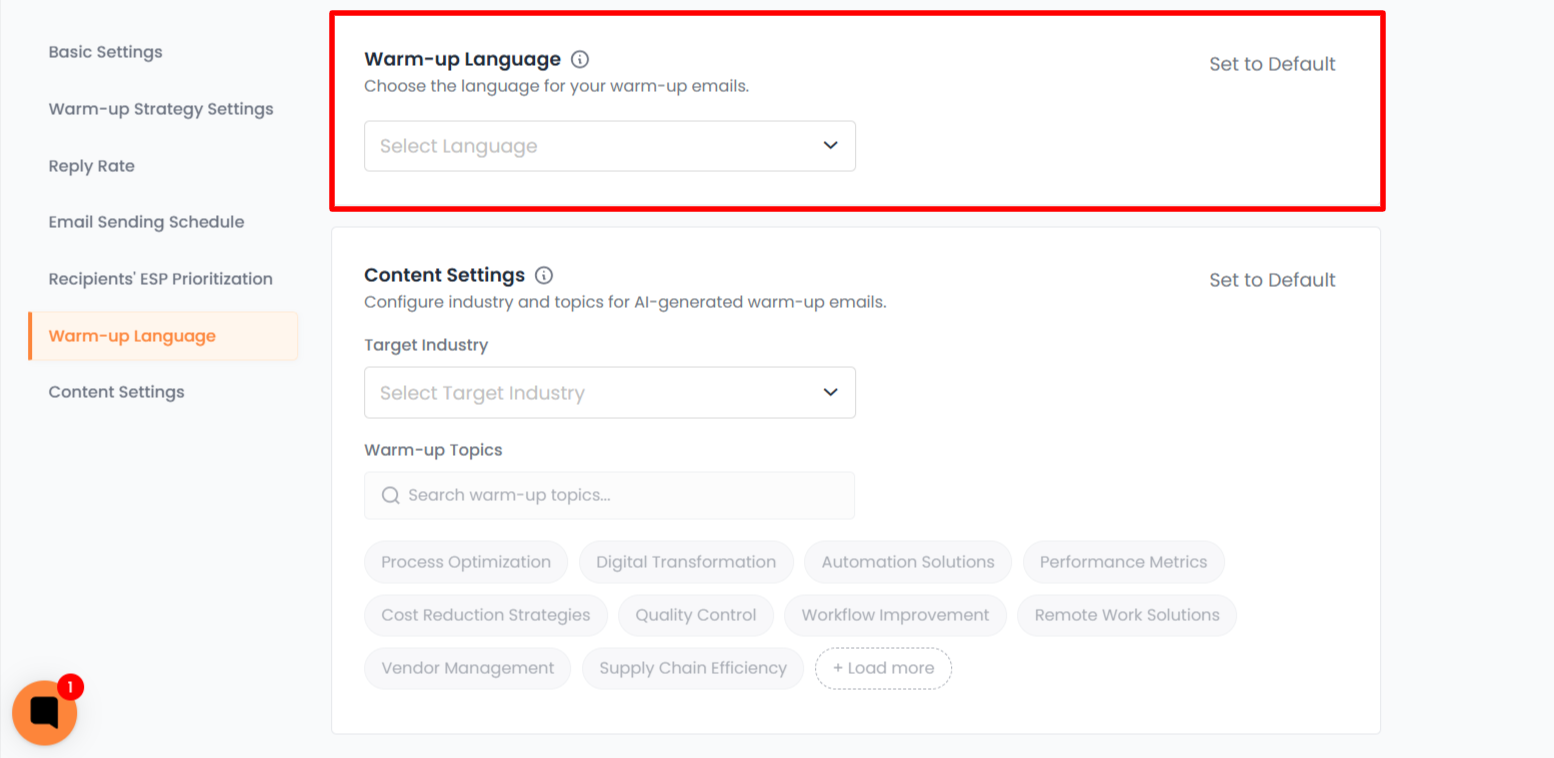
Currently supported languages include:
French
German
Portuguese
Chinese (Mandarin)
Japanese
Arabic
Hindi
Russian
Italian
Dutch
Running a warmup in the same language as your campaigns helps maintain consistent communication patterns.
Content setting
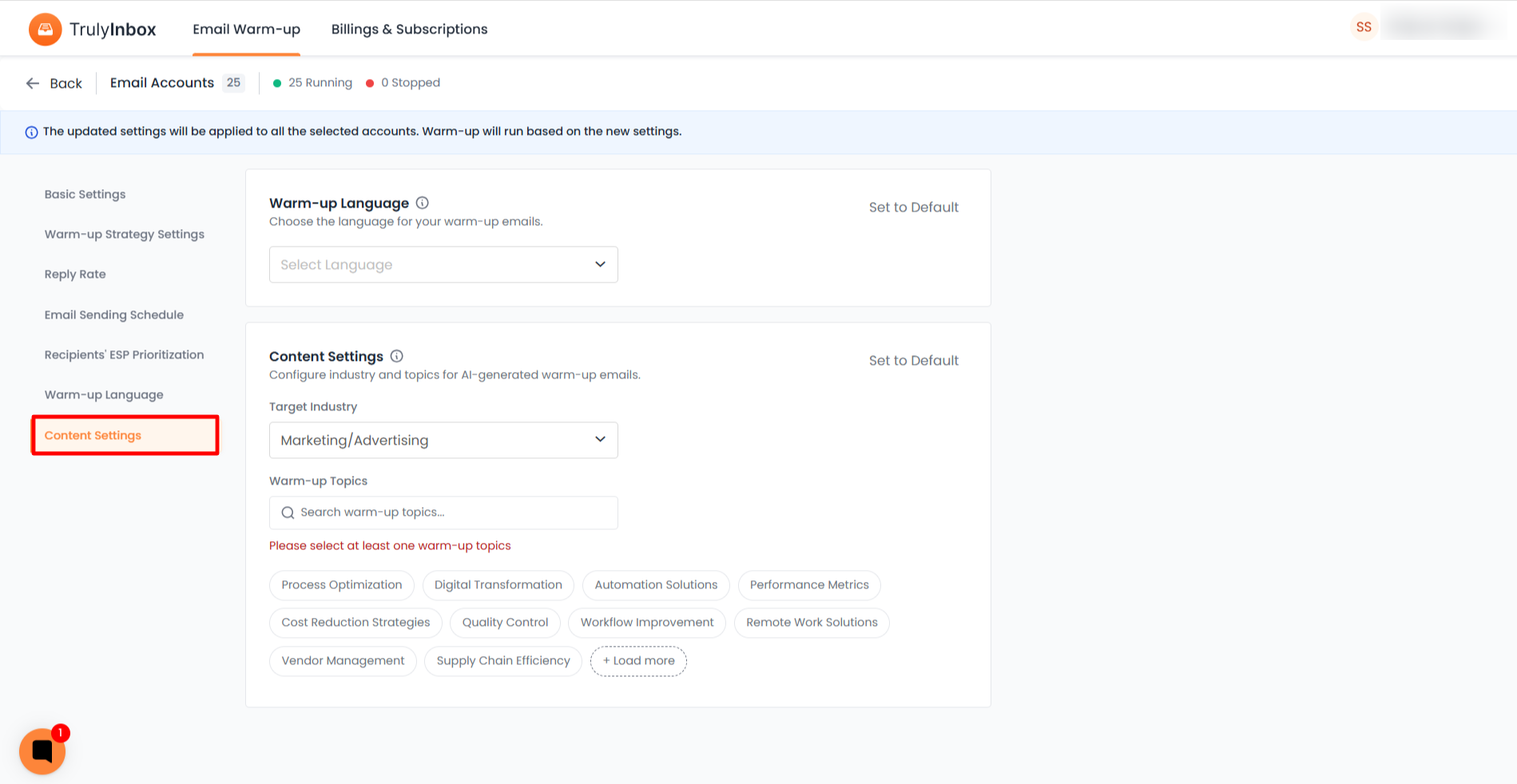
The Content Settings section allows you to customize the type of warmup emails generated for your inbox. Instead of sending generic warmup emails, you can configure the system to generate emails based on your business context.
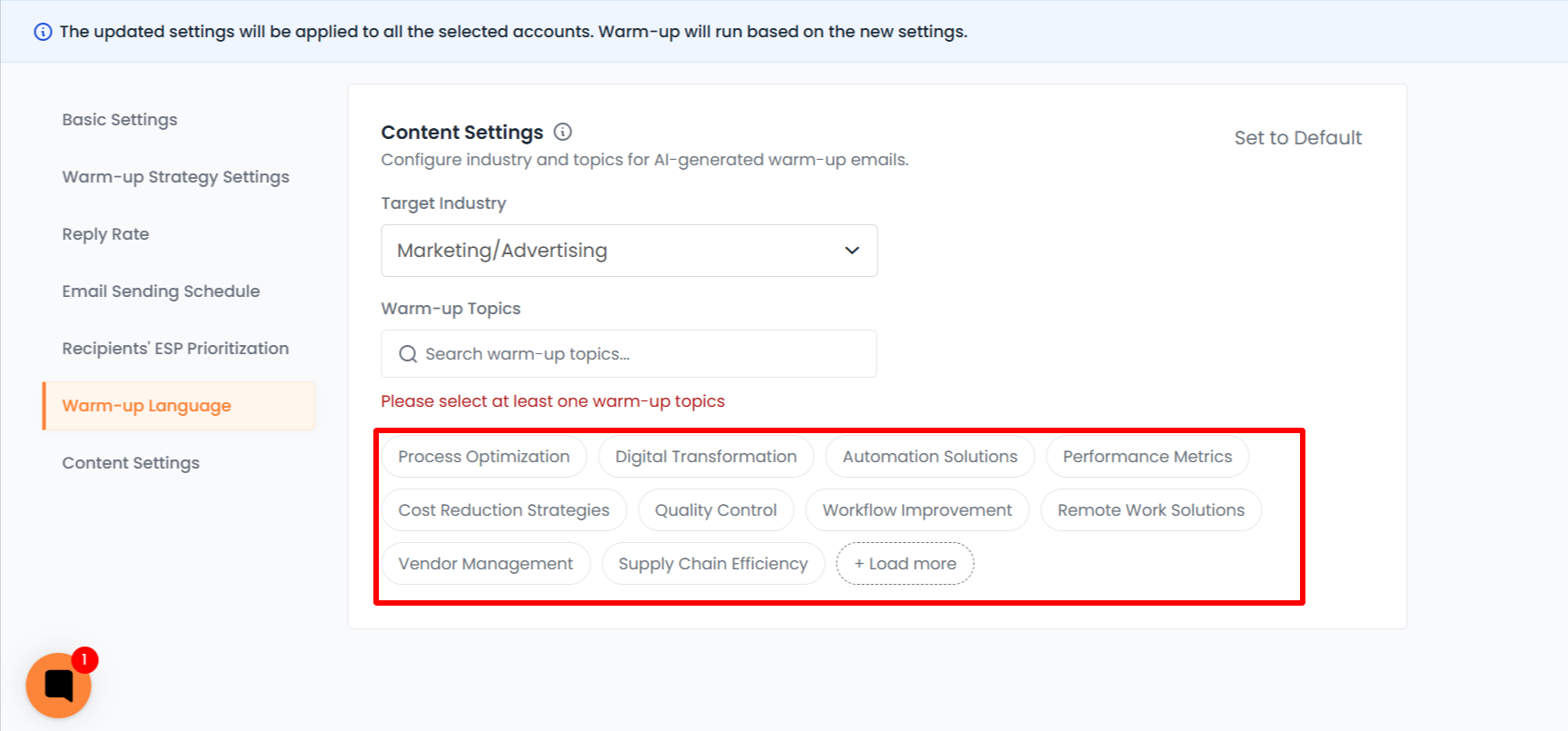
By selecting a Target Industry and relevant Warm up Topics, TrulyInbox generates warm-up emails that resemble real conversations related to your business. This helps create more natural email interactions during the warmup process
Target Industry
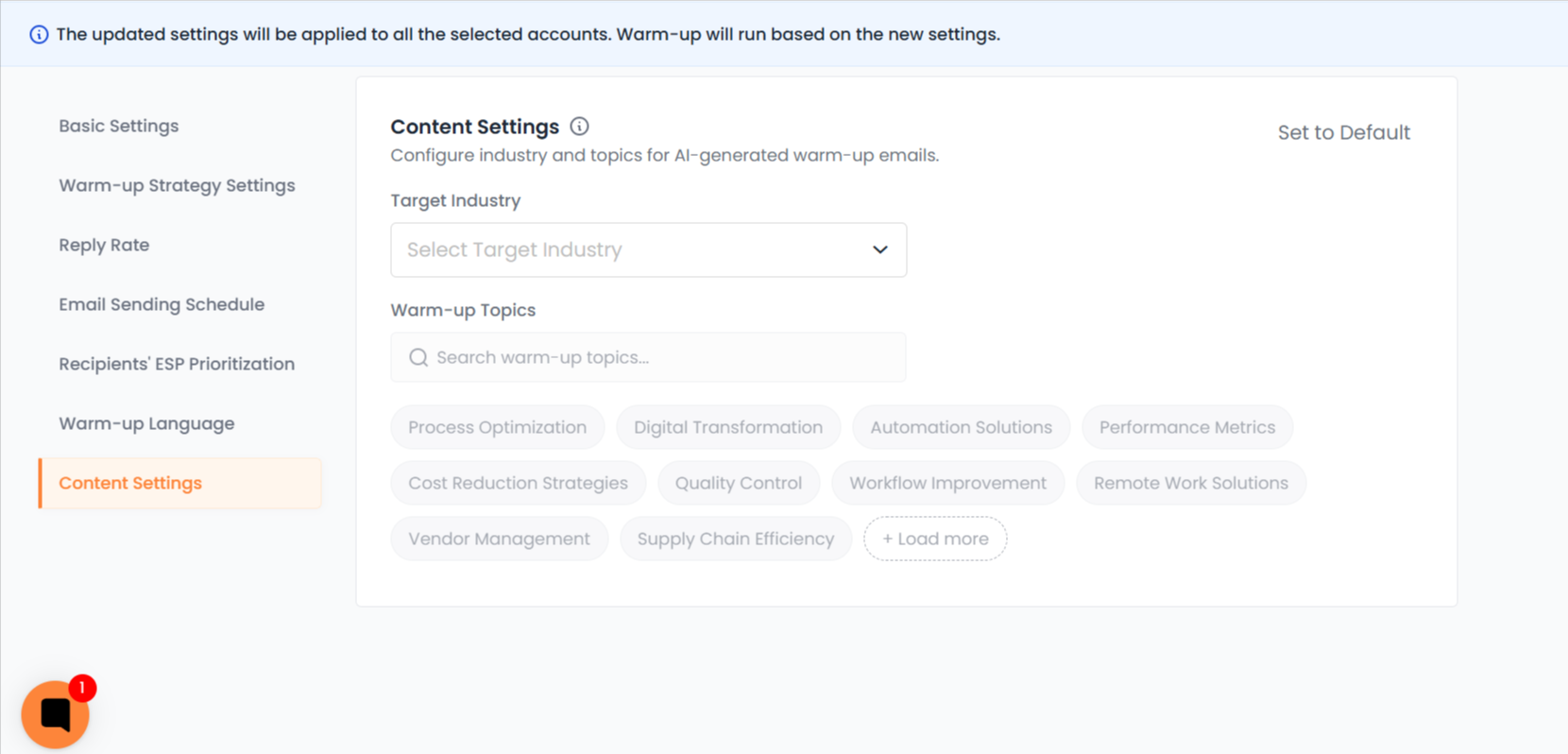
Use the Target Industry dropdown to select the industry that best represents your business or outreach use case.
Once an industry is selected, the system will generate warmup emails aligned with that industry context. This helps warmup conversations appear more relevant and realistic.
Selecting an industry is optional. If no industry is selected, TrulyInbox will continue sending default warmup emails.
Warm up Topics
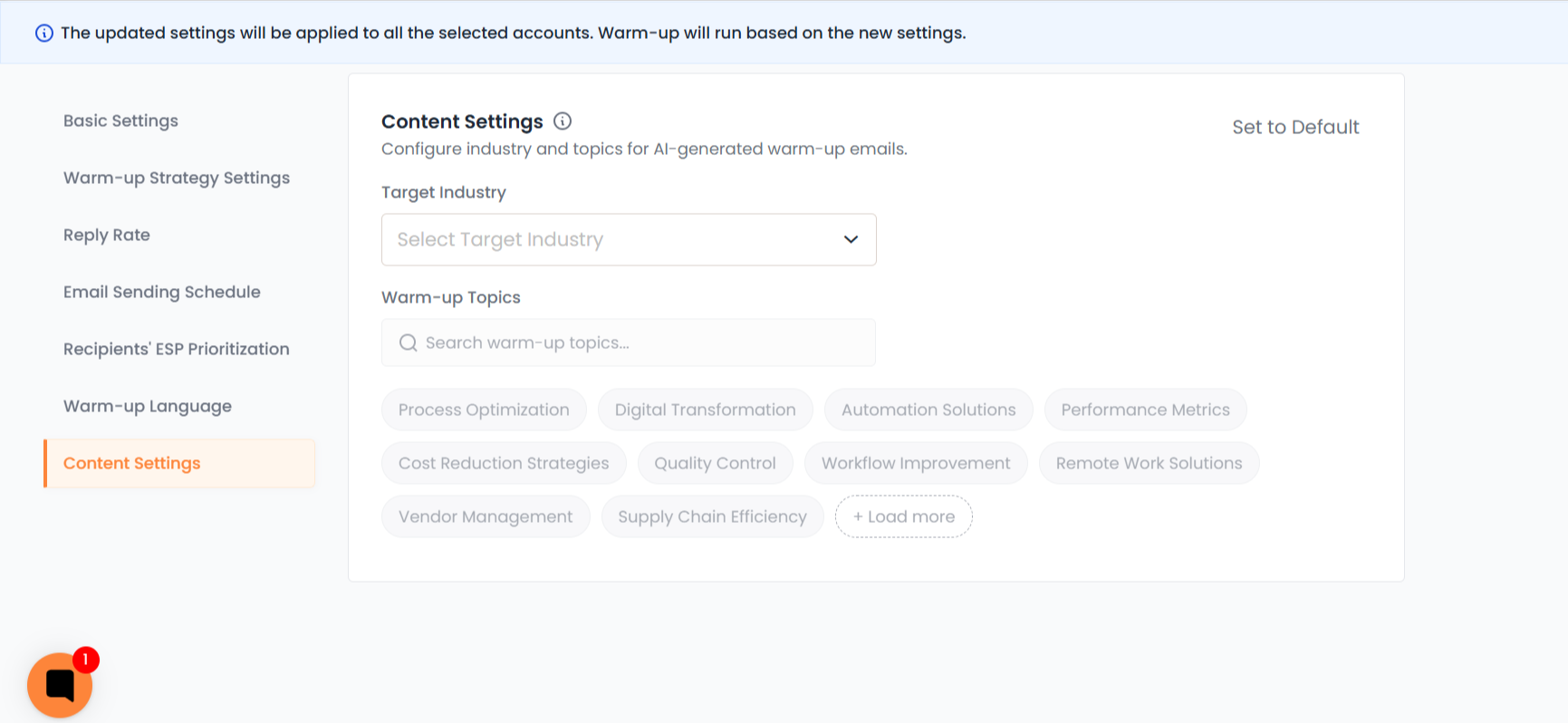
Warm up Topics allow you to refine the type of conversations used in your warmup emails.
After selecting an industry, you can choose topics related to that industry. These topics help the system generate more contextual and diverse warmup emails.
You can select multiple topics, allowing the system to rotate different themes across warmup conversations.
You can also use the search bar to quickly find specific topics. If more topics are available, click Load more to view additional options.
Set to Default
If you want to remove your customization and return to the default warmup email content, click Set to Default.
This will clear the selected industry and topics, and TrulyInbox will resume sending the standard warmup emails.
Important Notes
If you select an industry, at least one topic must be selected before saving the configuration.
If no industry or topics are selected, the system automatically uses the default warmup email content.
Changes to these settings apply to upcoming warmup emails and do not affect emails that have already been scheduled.
What Happens If You Do Not Configure Content
If you do not select an industry or subtopics, TrulyInbox will continue sending the default warmup emails.
This ensures:
Warmup continues without interruption
No setup is required to start warming up
Existing users are not affected
The system automatically falls back to default warmup content when custom content is not configured.
Changing Content Settings During Warmup
You can update your warmup content settings at any time.
If warmup is already running:
New settings will apply to the next warmup cycle
Emails that are already scheduled will not be affected
This allows you to adjust content without interrupting your warmup process.
Resetting Warmup Content Settings
If you want to remove customization and return to default warmup emails, you can reset the configuration.
This will remove the selected industry and subtopics and the system will revert to default warmup content.
Warmup Replies
Warmup replies follow natural conversation patterns.
Replies are generated from a large pool of variations to ensure conversations appear realistic and avoid repetitive patterns.
Replies are sent in the same language as the warmup emails.
Best Practices for Warmup Content
To get the best results from this feature:
Choose an industry that closely matches your business
Select subtopics that reflect your typical outreach conversations
Use the same language as your outbound campaigns
Avoid frequently changing settings during active warmup cycles
These practices help create more realistic email interactions and stronger deliverability signals.