ESP Specific Warmup Targeting
Control and prioritize warm-up activity across specific inbox providers to build reputation where it matters most.
Not all inbox providers impact your outreach equally. If most of your prospects use Gmail or Microsoft 365, your reputation with those providers matters more than others.
ESP-Specific Warm-up Targeting allows you to control how warm-up emails are distributed across different providers so you can build a reputation where it matters most.
Why ESP Targeting Matters
Email reputation is evaluated separately by each provider. Strong inbox placement with Google does not automatically guarantee the same results with Microsoft or other services.
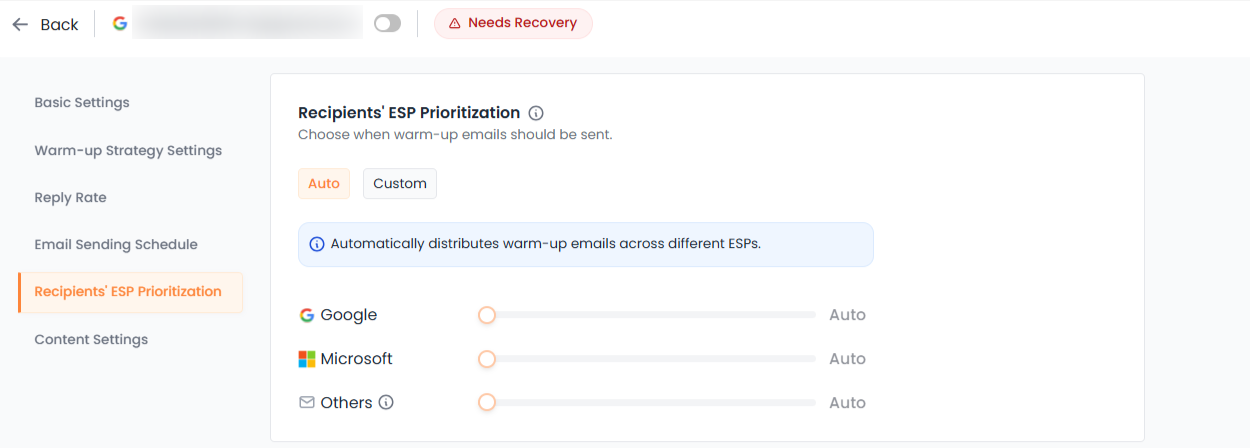
By directing warm-up volume intentionally, you can:
Strengthen trust signals with priority providers
Align warm-up with your target audience
Prepare accounts for real campaign distribution
Avoid wasting warm-up volume on low-impact providers
This makes warm-up more strategic and outcome-focused.
AUTO Mode
In AUTO mode, the system distributes warm-up emails naturally across providers.
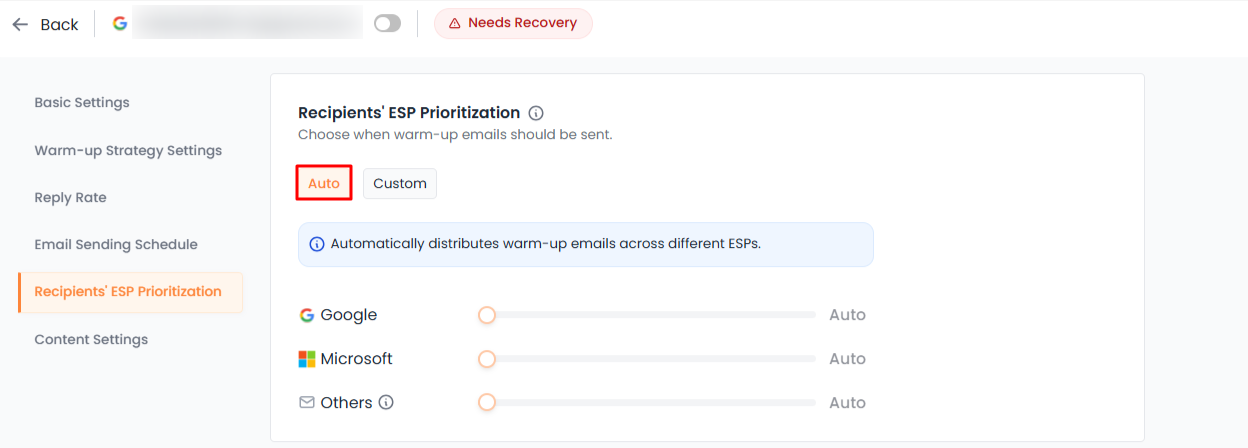
Best suited for:
New users
Balanced outreach lists
Users unsure of their audience distribution
This mode requires no manual configuration and maintains realistic distribution patterns.
CUSTOM Mode
In CUSTOM mode, you manually define the percentage split across providers, such as:
Google
Microsoft
Others
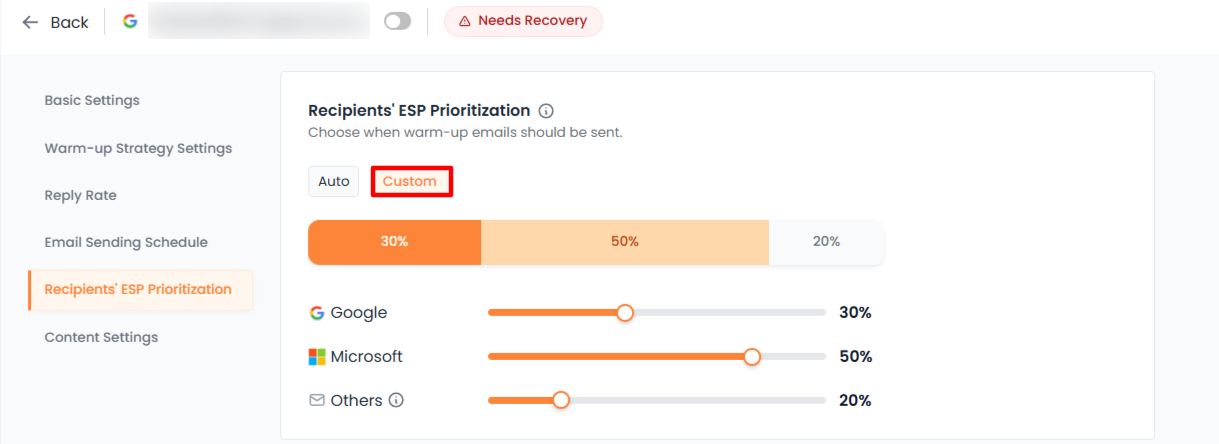
For example:
60 percent Google
30 percent Microsoft
10 percent Others
This allows you to concentrate reputation building on the providers most relevant to your outreach.
When to Use Custom Distribution
CUSTOM mode is recommended when:
Your outreach primarily targets Gmail users
Your campaigns focus heavily on Microsoft domains
You are recovering your reputation with a specific provider
Avoid frequent redistribution changes, as consistency helps build stronger trust signals over time.
Key Takeaway
ESP-Specific Warm-up Targeting gives you control over where your reputation is built.
Use AUTO mode for balanced growth and simplicity.
Use CUSTOM mode when your outreach is concentrated on specific providers.