Email Sending Schedule in Warm-up
Control when warm-up emails are sent to maintain realistic sending patterns, strengthen trust signals, and improve overall deliverability.
Email sending timing plays a major role in deliverability. Sending emails at unnatural hours or inconsistent intervals can negatively affect reputation signals.
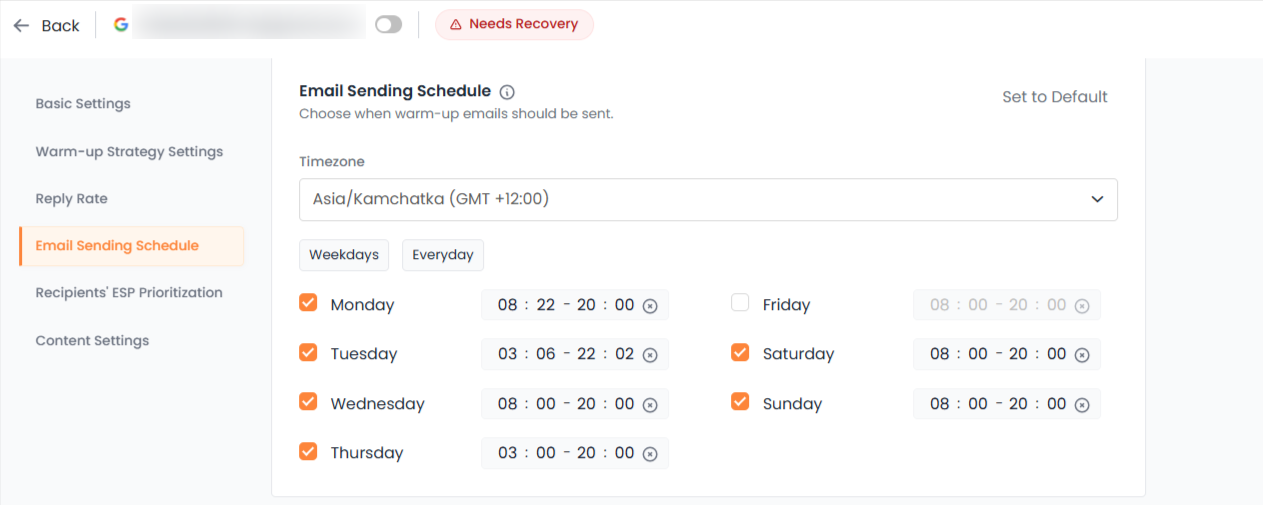
The Email Sending Schedule feature allows you to control exactly when warm-up emails are sent, helping you maintain realistic and provider-friendly behavior.
This article explains what Email Sending Schedule does, why it matters, and how to configure it properly.
Why Sending Schedule Matters
Inbox providers analyze patterns, not just volume.
If emails are sent:
At random hours
During unusual time windows
Across inconsistent days
In unrealistic bursts
It can create unnatural activity signals.
A controlled sending schedule helps:
Simulate real human behavior
Align warm-up with business hours
Improve trust signals
Avoid suspicious timing patterns
Warm-up is not only about how many emails are sent. It is also about when they are sent.
What You Can Control
The Email Sending Schedule gives you control over three key areas:
1. Timezone Selection
You can select the timezone in which warm-up emails should operate.
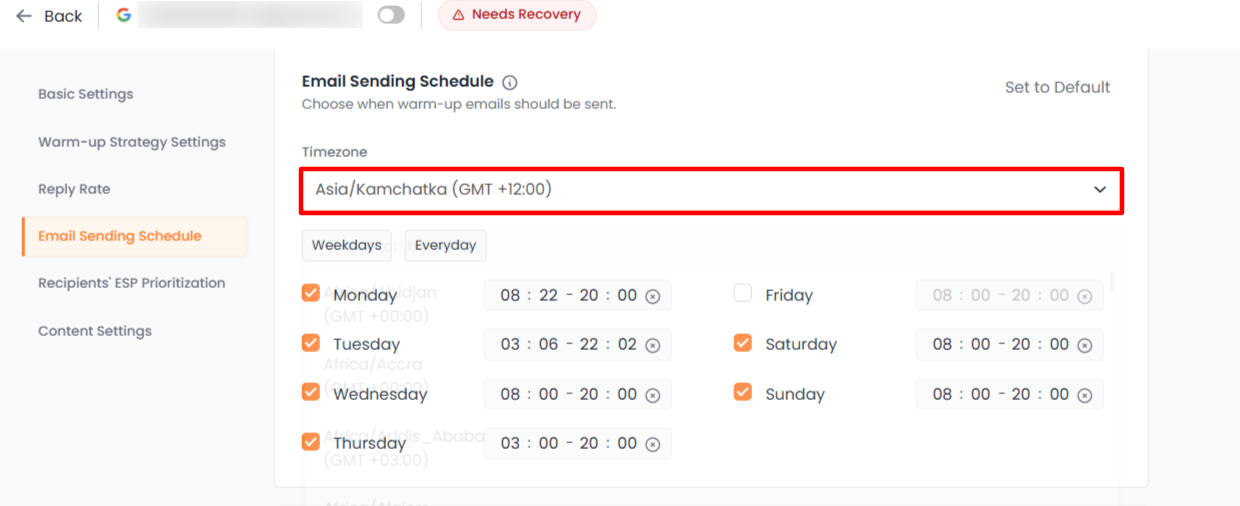
This ensures:
Emails are sent during realistic local working hours
Activity aligns with your geographic outreach region
Timing remains consistent across accounts
Always choose the timezone that matches your business location or target audience.
2. Sending Days
You can choose which days warm-up emails are allowed to be sent.
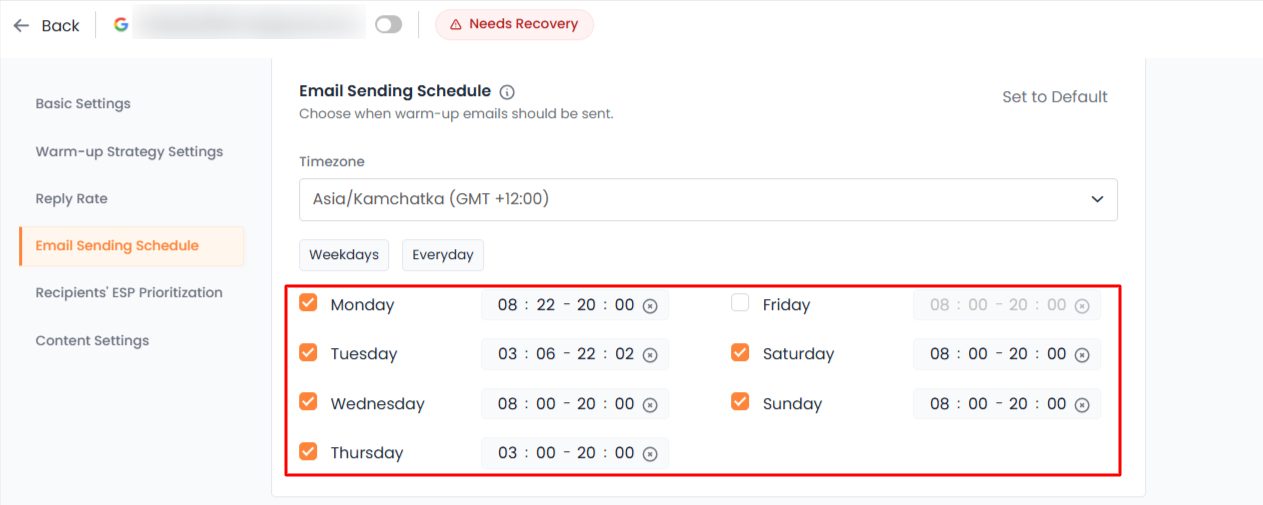
Options include:
Weekdays only
All days
Custom day selection
For most business outreach, weekdays are recommended to maintain realistic patterns.
Sending on weekends may be acceptable for certain industries, but consistency is more important than randomness.
3. Time Windows
You can define specific hours during which warm-up emails are sent.
For example:
9:00 AM to 5:00 PM
10:00 AM to 6:00 PM
This prevents emails from being sent late at night or at unusual hours.
Emails are automatically distributed within the defined window rather than sent all at once.
Recommended Settings
For most users:
Timezone: Your actual business timezone
Sending days: Monday to Friday
Time window: 8 AM to 6 PM
These settings closely mimic natural business email activity.
Avoid extremely narrow time windows combined with high sending volume, as this can create clustering.
How It Works Behind the Scenes
Once configured:
Emails are distributed naturally within the allowed window
Volume respects your chosen warm-up strategy
No emails are sent outside selected days or hours
The system ensures behavior remains consistent and predictable.
Common Mistakes to Avoid
Avoid the following:
Setting a 24-hour sending window
Sending during late-night hours
Frequently changing timezones
Switching schedules daily
Frequent changes disrupt behavioral consistency, which can slow trust building.
When to Adjust Your Schedule
You may consider adjusting the schedule when:
Expanding outreach to a new timezone
Aligning with a different target region
Transitioning from warm-up to active outreach
Adjustments should be gradual and intentional, not frequent.
Key Takeaway
The email sending schedule helps control timing behavior during warm-up.
Deliverability depends not only on volume and engagement, but also on realistic activity patterns.
By defining proper days, time windows, and timezone, you create stable trust signals that improve inbox placement over time.