Warmup Configuration
More Control, Better Deliverability, Smarter Warm-up
Hey Users,
We’ve significantly enhanced the Warmup Configuration experience to give you deeper control, better visibility, and smarter warm-up behavior, without making setup complex.
The new Warmup Settings are designed to help you align warm-up activity with your outreach goals, reduce configuration errors, and improve deliverability efficiency across email providers.
Everything is now centralized, configurable, and predictable.
What’s New and Why It Matters
Previously, warm-up settings were limited and often required repetitive manual adjustments for each email account. Important decisions, like which inbox providers to prioritize or when emails should be sent, were either unavailable or applied indirectly.
With the new Warmup Configuration:
All key warm-up decisions live in one place
Settings can be applied to single or multiple accounts
Warm-up behavior matches real sending patterns more closely
You stay in control without risking misconfiguration
Warmup Strategy Selection
You can now choose how your sending volume behaves over time, based on your account maturity and outreach needs.
Progressive Strategy (Default & Recommended)
Progressive warm-up gradually increases the number of emails sent each day. This approach is ideal for new accounts or domains, as it builds trust steadily with inbox providers.
You can control:
Starting volume on Day 3
Daily increase amount 3
Maximum daily sending limit 40
Once warm-up begins, the starting volume is locked to protect progress, while future growth remains adjustable.
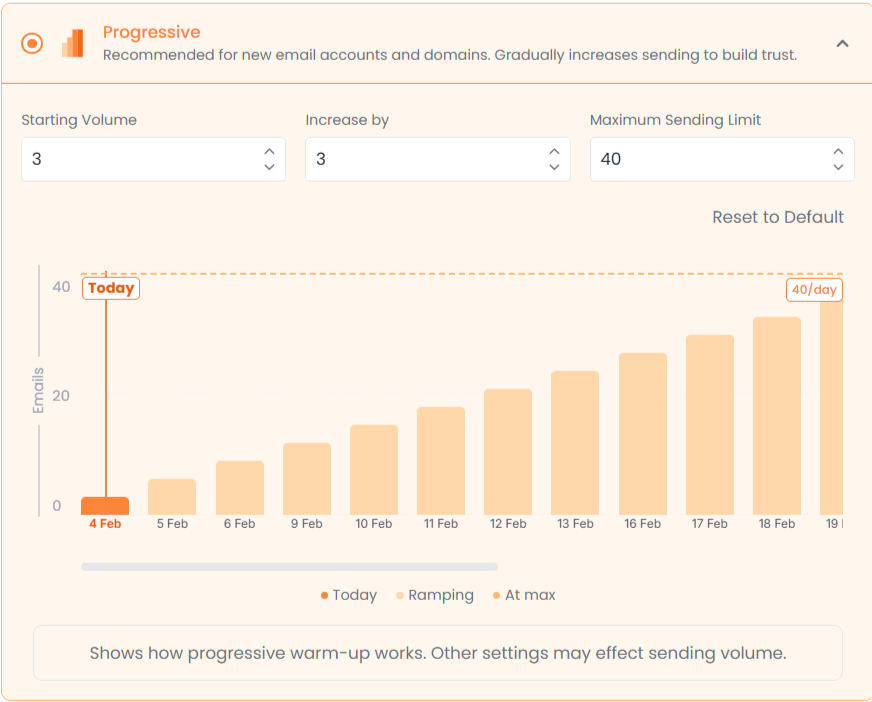
A visual graph shows:
Past sending activity
Today’s volume
Upcoming projected volume
This makes it easy to understand how your warm-up is progressing.
Randomize Strategy
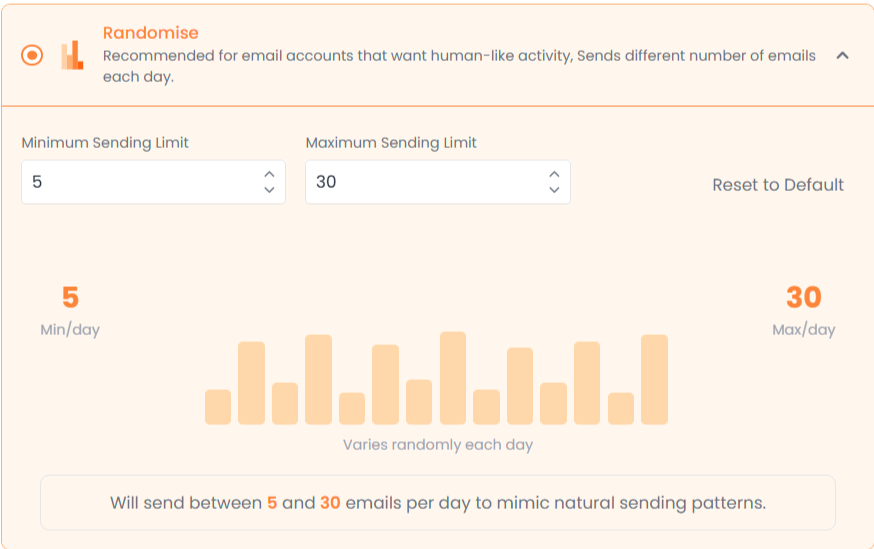
Randomize sends a fluctuating number of emails within a defined range. This strategy mimics natural human behavior and avoids predictable patterns.
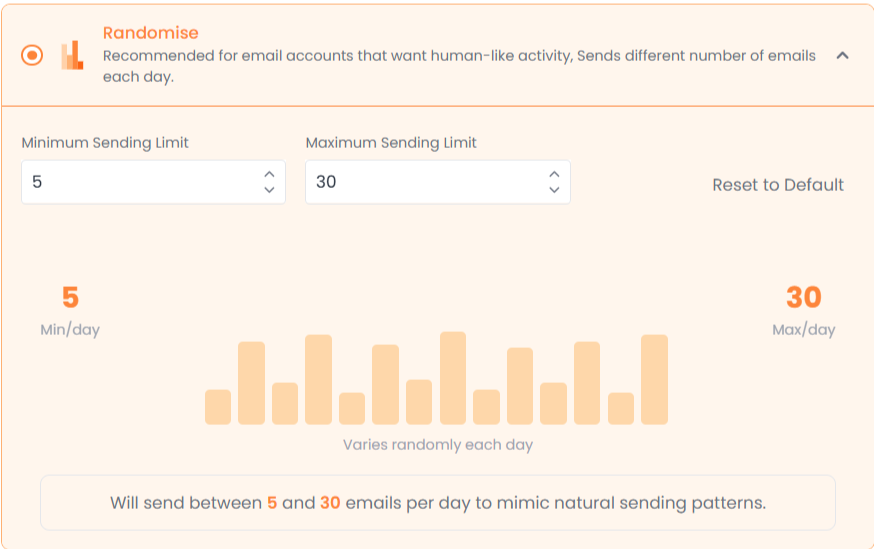
You simply define:
Minimum emails per day
Maximum emails per day
The system handles daily variation automatically.
Flat Strategy
Flat warm-up sends the same number of emails every day. This strategy works best for accounts with existing trust that need stable, controlled activity.
You define a single daily sending value, and the system maintains consistency.
Reply Rate Simulation
Warm-up isn’t just about sending, it’s also about engagement. You can now control how often warm-up emails receive replies.
Using a simple slider, you can set your desired reply rate. The system dynamically calculates how many replies this represents based on your daily sending volume, giving you instant context.
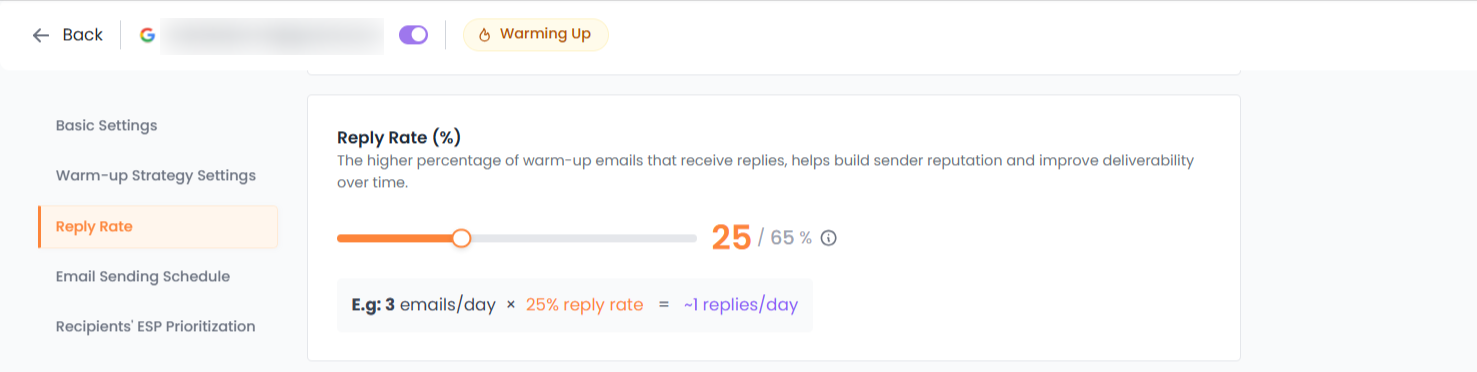
Reply rate limits automatically adjust based on your plan, so you always stay within allowed ranges.
Email Sending Schedule
You now have full control over when warm-up emails are sent.
You can:
Select your timezone
Choose which days emails are allowed to be sent
Define specific time windows per day
Quick presets allow instant setup for weekdays or everyday sending, while custom controls let you fine-tune behavior to match real working hours.
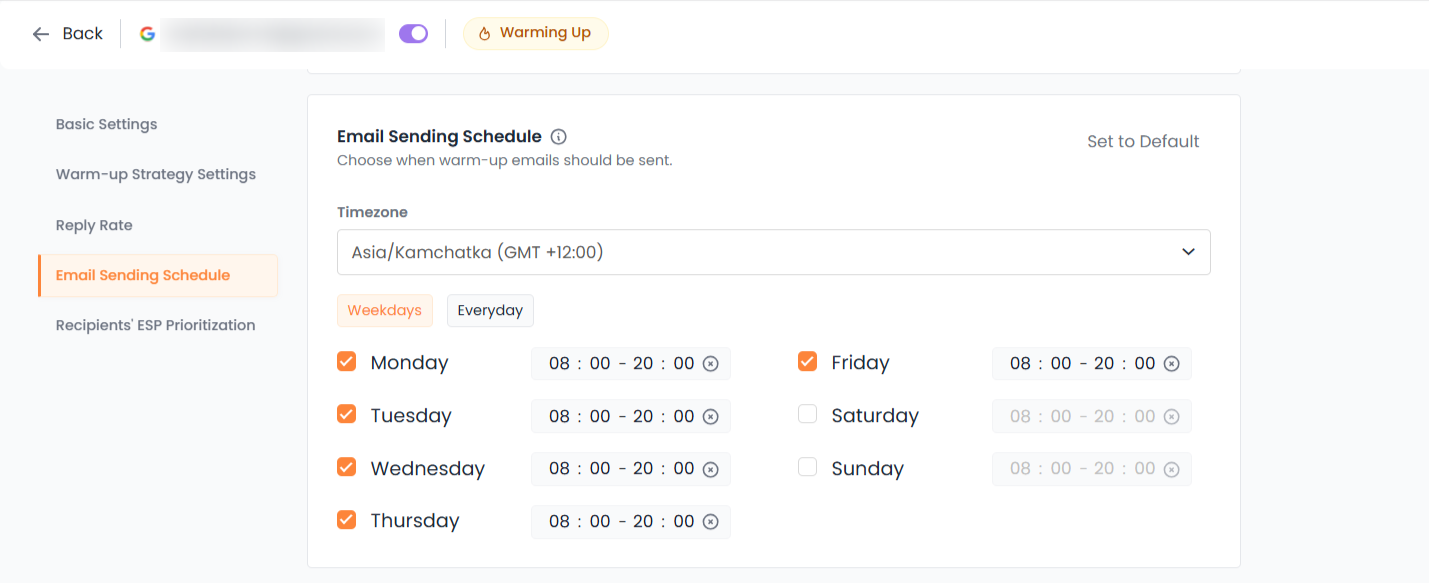
This prevents unnatural sending patterns and supports healthier deliverability signals.
ESP-Specific Warmup Targeting
Not all inbox providers matter equally. With ESP prioritization, you can control where your warm-up effort is focused.
You can choose:
AUTO mode, where the system distributes emails naturally across providers
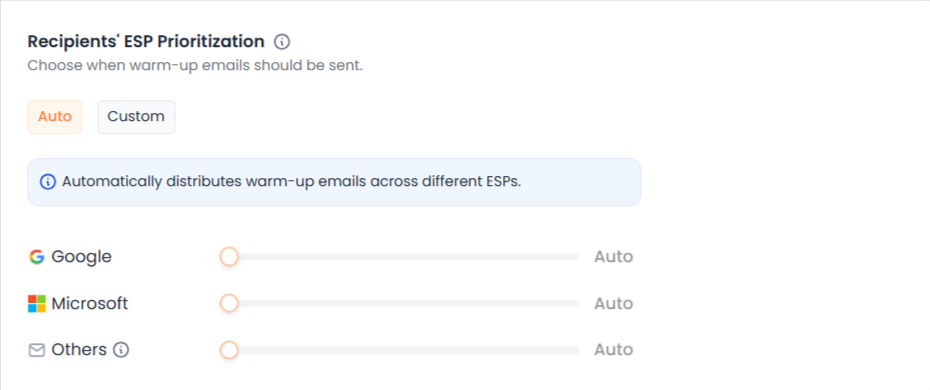
CUSTOM mode, where you manually assign percentages to providers like Google, Microsoft, and Others
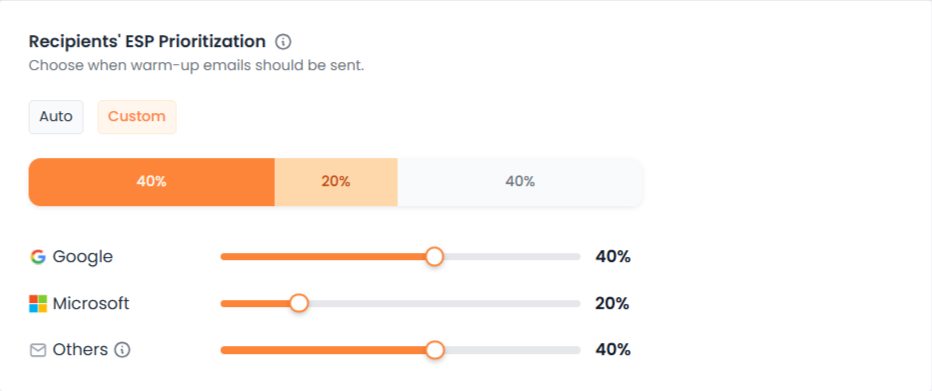
Built-in safeguards ensure:
Total distribution always equals 100%
Minimum and maximum limits are respected
Adjustments rebalance automatically
This helps you build a reputation where it matters most for your outreach.
Bulk Editing for Multiple Email Accounts
Managing warm-up at scale is now easier and safer.
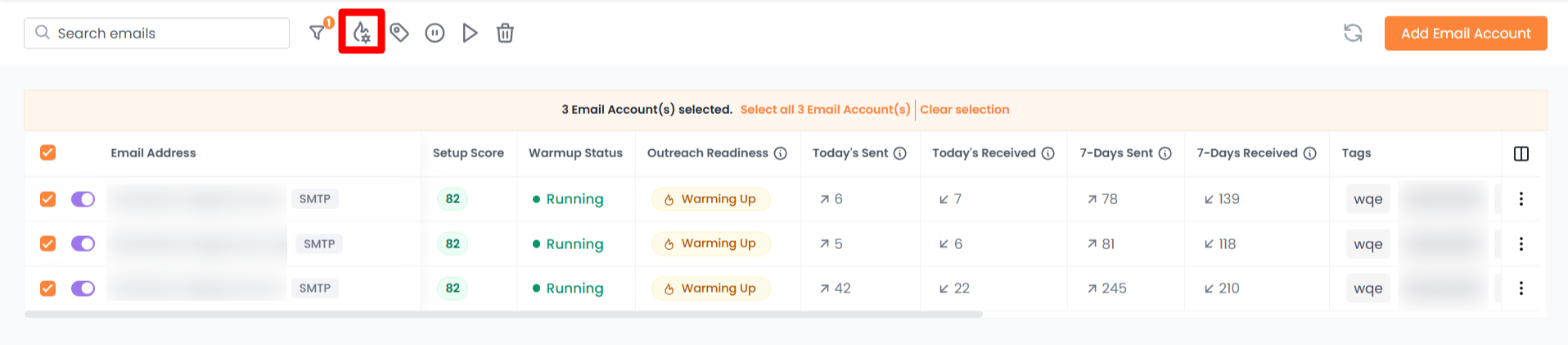
In bulk edit mode:
Only the settings you change are applied
Unchanged fields remain untouched per account
Conflicting or invalid configurations are prevented
This allows fast updates across many accounts without risking unintended overwrites.
Better Visibility and Transparency
You can now see warm-up preferences directly in the email account list. This makes it easy to understand how each account is configured without opening individual settings.

Clear success and error messages confirm exactly what was updated and where.
What This Means for You
With these improvements, you can:
Customize warm-up to match your outreach strategy
Reduce setup time and errors
Build a reputation more efficiently
Scale warm-up safely across accounts
Warm-up becomes intentional, predictable, and aligned with your goals.
Final Note
These enhancements are designed to give you more control without increasing complexity. If you’re unsure where to start, the default settings remain safe and effective.
You can always refine your configuration as your sending needs evolve.