Email Suspension Explained
Suspended due to bounces? Learn why we pause your account to protect your reputation and how to get back online fast by providing your Account IDs to support.
Hey TrulyInbox users,
If you logged in today and saw that your email account is suspended, don’t worry, this is a protective measure. At TrulyInbox, we monitor your activity closely to ensure your sender reputation stays intact.
When we detect multiple bounces on your account, we trigger an immediate suspension. We do this to stop the bleeding. Continuing to send emails from an account that is bouncing heavily will ruin your reputation with providers like Google and Outlook, making it nearly impossible to reach the inbox later.
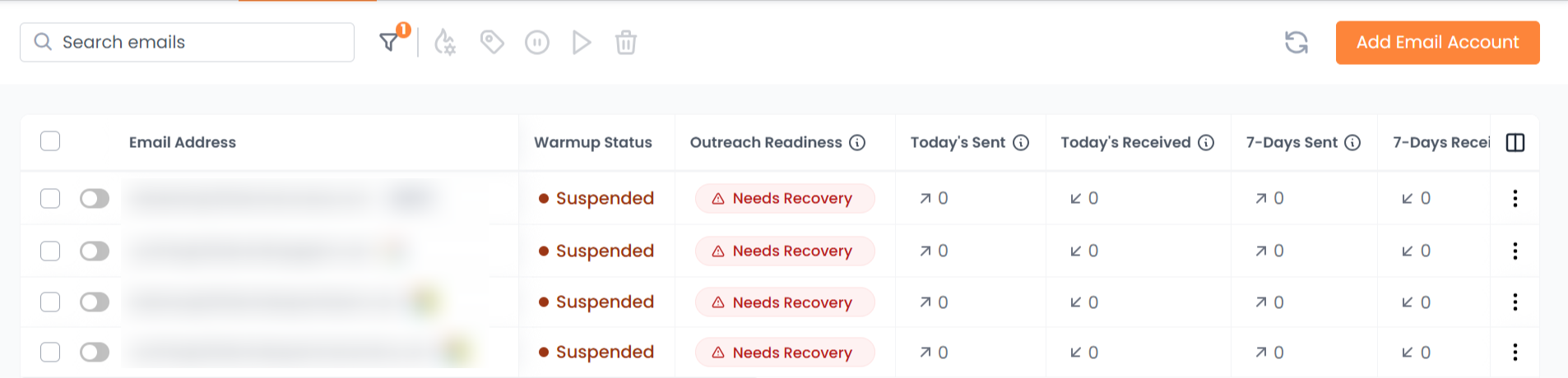
Once the issue is cleared and we unsuspend your account, your warmup will restart exactly where it left off.
Why Bounces Happen
Since you are using TrulyInbox recipients (our verified network), you don't have to worry about "bad data" or "dead emails" from our side, we clean our recipient lists on a regular basis to ensure high quality.
However, bounces can still happen due to these technical factors:
ESP Rate Limiting: Your email service provider (like Gmail or Zoho) might be temporarily "throttling" your account because it’s sending too much too fast for its current age.
IP Reputation Issues: If the local IP address assigned to your mail server is flagged, the receiving server might reject the connection.
Security Filters: Some advanced filters might block an email if they detect a sudden change in sending patterns or volume.
Technical Handshake Failures: Temporary communication errors between your server and the recipient server.
How to Resolve Your Suspension
Our support team handles unsuspension manually to ensure your account is safe to resume. To speed up the process, please follow these steps:
The Fast Track (ID Collection)
Each email account in your dashboard has a unique identification number. Providing these numbers to support is the fastest way to get back online.
Select the Account: Click on the email account that shows the "Suspended" status.
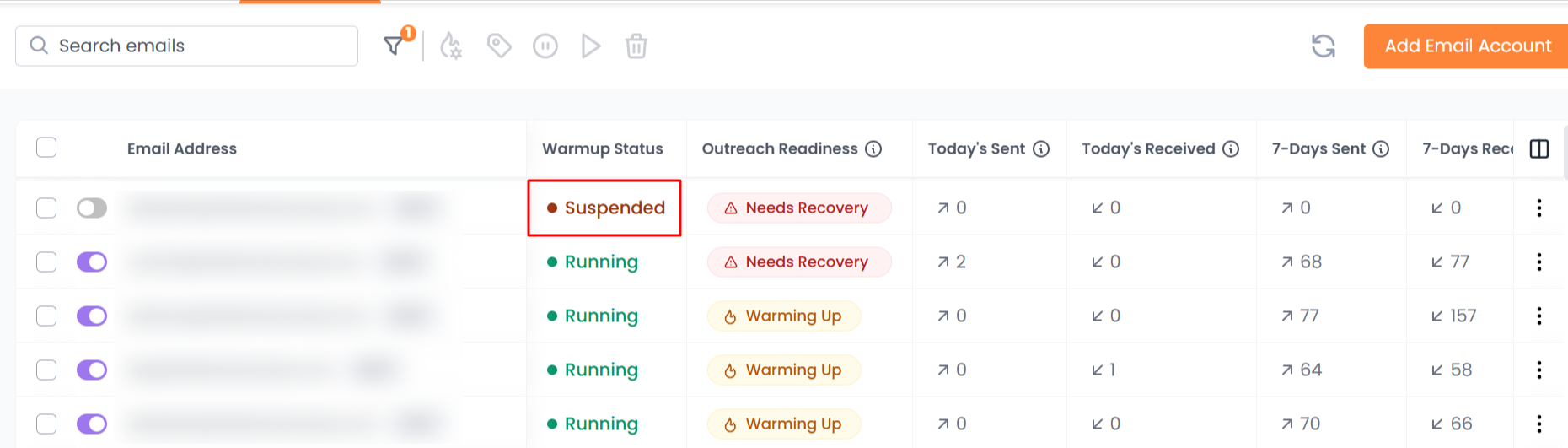
Find the ID: Look at the URL in your browser's address bar. You will see a specific number somewhere in the link.

Collect & Send: Gather the ID numbers for all suspended accounts and provide them to our support team. Once you provide these IDs, we will unsuspend your email accounts for you in few hours.
The Hands-Off Option
If you feel that collecting IDs is tedious work, just reach out to our support team. Tell them your accounts are suspended, and they will investigate and resolve the issue for you ASAP.
Still have questions? Support is always here to help you navigate the warmup process and ensure you hit the inbox every time.